

If you have ever wondered how some televisions receive hundreds of channels without a cable subscription, the answer is usually sitting in a small box beneath the television. A satellite box, also called a satellite receiver, is the device that takes a signal from a satellite dish and turns it into pictures and sound your television can display. It is a simple idea, but the range of boxes on offer can be confusing, from basic receivers that do little more than change channels to advanced models that record programmes, stream apps and connect to your home network. This guide explains what a satellite box is, how it works, which features genuinely matter, and how to choose one that suits your home.
Satellite television has been part of British living rooms for decades, yet many people still buy a box without really knowing what they are getting. Some assume every box works with every dish, or that a more expensive box automatically means better picture quality. Neither is true. The right satellite box depends on your dish, your television, the channels you want to watch, and how you actually watch television day to day. Getting those basics right before you buy will save you frustration, returns and wasted money.
What Is a Satellite Box?
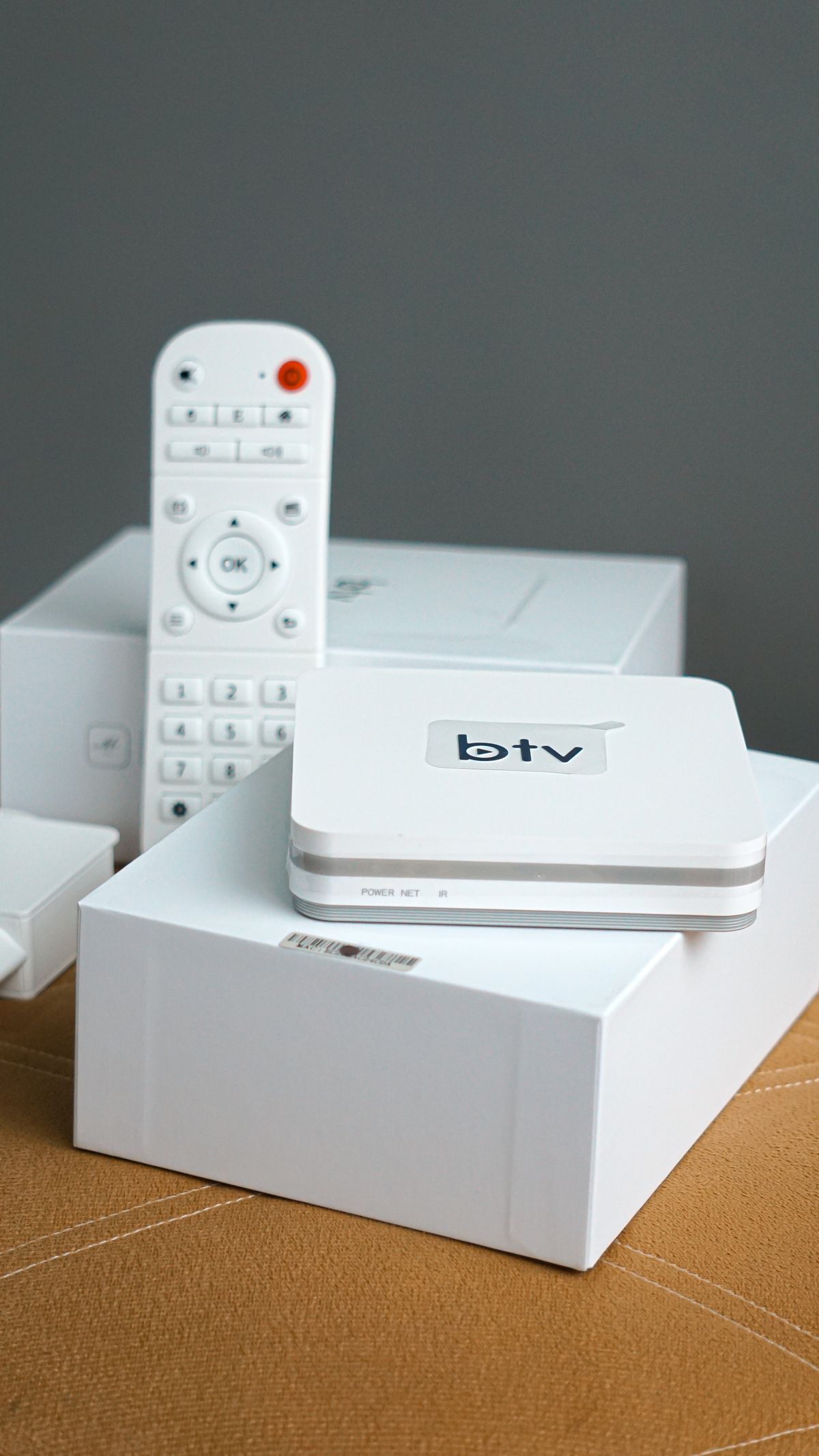
A satellite box is a set-top receiver that decodes television signals broadcast from satellites in orbit. Your satellite dish collects those signals and focuses them onto a small receiver head, and a cable carries the signal indoors to the box. The box then decodes the signal, separates the channel you have chosen from the many others being broadcast, and sends it to your television through an HDMI cable or another connection. Without the box, your television would have no way of making sense of the raw satellite signal.
It helps to distinguish the box from the dish. The dish is the outdoor antenna that gathers the signal, while the box is the indoor brain that interprets it. You need both, and they need to be compatible. Most homes that already have a satellite dish can add or replace a box without changing the dish, provided the new box supports the same type of signal. If you are starting from scratch, you will need a dish installed as well as a box, and the dish needs a clear view of the sky in the direction of the satellite you want to receive.
Satellite boxes differ from the tuners built into many modern televisions. Some televisions do include a satellite tuner, which means they can receive satellite channels directly when connected to a dish, with no separate box at all. A dedicated box, however, usually offers more: a better programme guide, recording features, more channels in some cases, and apps and connectivity that a built-in tuner may lack. Whether a separate box is worth it depends on how much you value those extras and how capable your television already is.
How Satellite Television Works, in Plain English
Television satellites sit in geostationary orbit, which means they stay above the same point on the Earth as the planet turns. Broadcasters send their channels up to the satellite, and the satellite beams them back down over a wide area. Your dish, which is really a shaped reflector, collects that faint beam and concentrates it onto the receiver head, known as the LNB, mounted on an arm in front of the dish. The LNB converts the signal to a frequency that can travel down an ordinary coaxial cable into your home.
Inside the box, a tuner selects one channel at a time from the many carried on that signal. A decoder then unscrambles the digital data, if it is encrypted and you have the right to view it, and converts it into video and audio. The box also reads the electronic programme guide data that broadcasters transmit alongside the channels, which is what lets you browse what is on now and next, set recordings and search for programmes. All of this happens in a fraction of a second, which is why changing channels on a satellite box feels instant in normal use.
Weather can affect satellite reception, because heavy rain can weaken the signal on its journey from space. A well-aligned dish of a suitable size for your area keeps this to a minimum, and brief interference during a severe downpour is normal rather than a sign that your box is faulty. If reception fails in clear weather, the problem is more likely to be dish alignment, a damaged cable or a loose connection than the box itself, so checking those first can save an unnecessary replacement.
Types of Satellite Box
The simplest type is a free-to-air receiver. This receives unencrypted channels that are broadcast without a subscription, and it is a good choice if you mainly want a wide range of free channels and do not want a monthly bill. Free-to-air boxes vary from very basic models with a simple channel list to smarter versions with a full programme guide and recording. The channels available depend on the satellite your dish points at, so it is worth checking what is actually broadcast free on that satellite before buying.
The second type is a subscription receiver, supplied or approved by a pay-television provider. These boxes are tied to that provider’s service: they decode its encrypted channels, manage your subscription and recordings, and often include that provider’s apps and on-demand library. They are convenient because everything is set up for you, but they are also less flexible, since the box is of little use if you cancel the subscription. If you already pay for a satellite television service, the provider’s box is usually the simplest route, and there is rarely a reason to buy a separate generic box instead.
The third type is a hybrid or smart satellite box, which combines satellite reception with internet features. These boxes connect to your home Wi-Fi or wired network and add streaming apps, catch-up services, web browsing or media playback from a home network, alongside satellite channels. They suit households that mix live satellite television with streaming, because one box and one remote can cover both. The trade-off is complexity: more features mean more settings, more updates and more that can go wrong, so a hybrid box suits confident users more than someone who just wants to switch on and watch the news.
There is also a distinction between standard definition, high definition and ultra-high-definition boxes. A high-definition box is now the sensible minimum, since most channels broadcast in high definition and modern televisions display it well. Ultra-high-definition, or 4K, boxes are worth considering only if your television supports 4K, you watch channels broadcast in 4K, and your dish and cabling support the signal. Buying a 4K box for a standard television gains you nothing, while buying a standard box for a 4K television wastes the television’s capability.
Key Features Worth Checking
Start with the tuner. A single-tuner box can receive one channel at a time, which means you cannot record one channel while watching another, unless the recording is on the same broadcast group. A twin-tuner box has two tuners, so you can watch one channel while recording another, or record two channels at once. For a household where recording matters, twin tuners are one of the most useful upgrades available, and they are worth prioritising over cosmetic extras.
Recording itself comes in two forms. Some boxes have a built-in hard drive, so recording works straight out of the box. Others let you plug in an external USB drive for recordings, which is flexible but means buying and formatting a drive separately. Check how much storage a built-in drive offers and whether you can expand it, and check whether the box supports pausing live television, which is a feature many viewers use far more than they expect once they have it.
The programme guide matters more than most buyers realise, because it is the screen you will use every day. A good guide is fast, easy to read from the sofa, and lets you search, set reminders and schedule recordings without a manual. A slow or cluttered guide makes the whole box feel poor, however good its picture quality. If you can, try the guide in a shop or watch a demonstration video before buying, rather than judging the box on its specification sheet alone.
Connectivity is the next check. An HDMI output is essential for a modern television, and the version matters if you want 4K. USB ports are useful for recordings and for playing media files. An Ethernet port gives a more stable internet connection than Wi-Fi for streaming apps, and it is worth using if your box sits near your router. Some boxes also offer optical audio output for a soundbar or home cinema system, which matters if you care about sound quality. Look at the back of the box, not just the front, before you decide.

Choosing a Satellite Box for Your Home
Begin with what you already have. If you have a working dish, find out which satellite it points at and whether it uses a standard single or multi-output receiver head, because that decides which boxes will work with it. If you have no dish, budget for installation as well as the box, and get the installer to confirm the dish size and position for reliable reception in your area. A box bought in isolation, without this check, is the most common cause of disappointment.
Next, think honestly about how you watch television. If you mainly watch live news and a few favourite channels, a simple free-to-air box may be all you need, and spending more buys features you will never use. If you record several programmes a week, prioritise twin tuners and generous storage. If your household streams as much as it watches live television, a hybrid box or a separate streaming device alongside a simple satellite box may serve you better than an expensive all-in-one. Match the box to your habits, not to a feature list.
Consider the television it will connect to. An older television with only older connections may need a box with matching outputs, while a new 4K television deserves a box that can feed it a high-quality signal. Also consider the room: a box with a bright display or noisy fan can be irritating in a quiet bedroom, while a compact box fits better in a small space. These small practical points matter more in daily use than a headline feature you will use twice a year.
Your home network matters too, especially for a hybrid box. Streaming apps need a stable internet connection, and a weak Wi-Fi signal in the living room will frustrate you regardless of how good the box is. If you are weighing up how your household connects, our guide to O2 SIM-only deals explains how to think about mobile data allowances and coverage, which is useful context when deciding what runs over broadband and what runs over mobile. A wired connection to the box, where possible, is usually the most reliable option for streaming.
Setting Up Your Satellite Box
Setting up a basic box is usually straightforward. Connect the satellite cable from the dish to the box, connect the box to the television with an HDMI cable, plug in the power, and follow the on-screen setup. The box will usually scan for channels automatically, which can take several minutes, and then display a channel list and programme guide. Resist the urge to skip the scan or interrupt it, since an incomplete scan leaves channels missing and can be mistaken for a fault.
Position matters. Give the box ventilation, since a box shut inside a closed cabinet can overheat and behave erratically. Keep the remote’s line of sight clear if the box uses an infrared remote, and place the box where you can reach its buttons and USB ports without moving furniture. If the box connects to the internet, set up the network connection during the initial setup rather than postponing it, because updates and apps often depend on it.
Once channels are found, spend a few minutes organising them. Most boxes let you create a favourites list, hide channels you never watch, and set parental controls if children use the television. These few minutes transform a long, unwieldy channel list into something pleasant to browse every evening. It is also worth checking for a software update in the first week, since manufacturers often fix guide or performance issues after launch.

Satellite Boxes, Gaming and Home Entertainment
A satellite box is one part of a wider living-room setup, and it often shares the television with a games console, a streaming device or a sound system. If your household games as well as watches television, the television’s inputs become precious, so check how many HDMI ports your television has and whether you will need a switch. Our guide to choosing a game to play for any mood, device or session is a useful companion here, because it explains how to match games to your device and available time, which is the same kind of thinking that helps you decide what deserves a permanent place under your television.
Connection quality matters for gaming and for streaming alike. Satellite television itself does not use your internet connection, which is one of its advantages in a home with a weak connection, but any streaming apps on a hybrid box do. Our guide to online games explains why a stable connection matters more than a headline-fast one, and that advice applies just as well to a satellite box running catch-up apps. If your living-room setup doubles as a workspace, it is also worth remembering that a tidy, well-connected home office makes everything easier, and our guide to human resources for small businesses covers how small businesses set up home working properly, including the practical side of a reliable home setup.
Common Problems and How to Fix Them
The most common complaint is no signal. Before assuming the box has failed, check that the satellite cable is firmly connected at both ends, that the dish has not been knocked out of alignment by wind or building work, and that the box is set to the correct satellite and input. A simple restart of the box also resolves many temporary glitches, just as it does with other gadgets. If only some channels are missing, a fresh channel scan often restores them, since broadcasters occasionally move channels between frequencies.
Picture freezing or breaking up usually points to a weak or unstable signal rather than a faulty box. Check the dish alignment and cabling first, and look for water damage in outdoor connections, which is a common cause of gradual deterioration. If the problem affects only streamed apps on a hybrid box, the cause is more likely your internet connection, so test other devices on the same network before blaming the satellite side of the box.
A slow or unresponsive remote is often a battery or line-of-sight problem, not a box problem. Replace the batteries, remove obstacles between the remote and the box, and check whether the box responds to its own front-panel buttons. If the box itself is slow, a software update or a factory reset, after noting your settings, can help, though a reset will erase your favourites and recordings schedule, so use it as a later step rather than a first one.
Common Mistakes to Avoid
- Buying before checking the dish: A box that does not match your dish or satellite is of no use, however good its reviews.
- Paying for features you will not use: A simple viewer does not need twin tuners, 4K and a full app store.
- Ignoring the programme guide: You will use the guide daily, so a poor guide spoils an otherwise good box.
- Blocking ventilation: A box shut in a closed cabinet overheats and behaves erratically.
- Skipping the channel scan: An interrupted scan leaves channels missing and looks like a fault.
- Assuming 4K helps every television: A 4K box only helps if your television and channels support 4K.
Frequently Asked Questions
What is a satellite box?
A satellite box is a receiver that decodes television signals collected by a satellite dish and sends them to your television, along with a programme guide and, on many models, recording and streaming features.
Do I need a satellite box if my television has a satellite tuner?
Not necessarily. A television with a built-in satellite tuner can receive satellite channels directly from a dish. A separate box is worth it mainly for a better guide, recording features or apps that the television lacks.
Can I use any satellite box with any dish?
Most standard boxes work with most standard dishes, but you should confirm the satellite your dish points at and the type of receiver head it uses before buying, especially for multi-room or twin-tuner setups.
Does a satellite box need the internet?
Basic satellite viewing does not need the internet. Internet is only needed for streaming apps, catch-up services and software updates on hybrid and smart boxes.
Why does my satellite picture break up in heavy rain?
Heavy rain weakens the satellite signal on its way from space to your dish. Brief interference in severe weather is normal; persistent problems in clear weather usually point to dish alignment or cabling.
Conclusion
A satellite box is a modest device that does an important job: it turns a signal from space into the television you watch every evening. Choose it by starting with your dish, your television and your viewing habits, rather than by the longest feature list. Prioritise a good programme guide, the right number of tuners for your recording habits, and the connections your setup actually needs. Set it up with care, organise your channels, and keep its software updated. Done that way, a satellite box stops being a confusing gadget purchase and becomes what it should be: a quiet, reliable part of your living room that simply works whenever you switch the television on.